
Votre panier est vide
Free Shipping on orders $499+Learn More
Proudly Made In Massachusetts! 
 Skip to Content


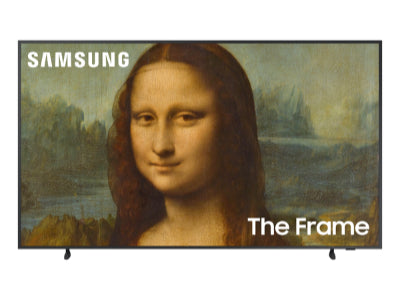


You have several options for selecting digital art on your Samsung Frame TV:
Yes, the Samsung Frame TV comes pre-loaded with 20 pieces of free digital art to populate your TV screen.
Deco TV Frames also has an Art Store with 500 pieces of art. You can get up to $50 of FREE art to download just for following @decotvframes on Instagram!

Choosing the art for your Frame TV is easy, simply follow these four steps:

The Smart Things App on your mobile device can be used to manage Art Mode and all of the features it offers such as adjusting your television settings and creating curated slideshows. Any digital art you select can be edited to make the photo appear darker, lighter, warm, or cool. This includes art from the Deco TV Frames Art Store and any custom photos you upload.

Choose from both contemporary and traditional artwork for your Samsung Frame TV, including artwork of Vincent Van Gogh.
The Samsung Frame TV has a built-in motion sensor that will automatically turn on and off depending on if there is any movement in the room. When used with a Deco TV Frame you’ll want to add our Smart Room Sensor SRS-2 to take full advantage of these features.

Free ground shipping is available on orders over $499 and applies only to addresses within the continental United States.
Excludes Deco Gold.