Your Cart is Empty

 Skip to Content

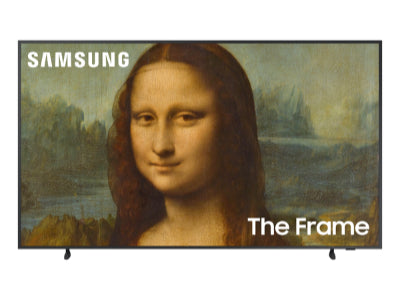
With a growing collection of over 500 premium digital art pieces in the Deco TV Frames Art Store, you can easily find the perfect New Year–themed artwork to elevate your Samsung The Frame TV. Our partnerships with celebrated artists and cultural creators worldwide allow us to offer dynamic, inspiring visuals that reflect the excitement, optimism, and celebration of ringing in a brand-new year.
SHOP NOW

Whether you’re welcoming guests for a lively New Year’s Eve celebration or enjoying a quiet night at home as the countdown approaches, you can mark the occasion with vibrant, inspiring New Year’s artwork. Art Mode on your Samsung The Frame TV turns your living space into a festive digital gallery filled with the excitement and elegance of the season. Instead of relying on a single framed print, you and your family can enjoy a rotating collection of dynamic New Year’s pieces, including fireworks, golden countdowns, modern 2025 designs, and more, each one bringing fresh energy and a sense of new beginnings into your home.
Enhance your New Year’s celebrations, whether it’s a lively countdown party or a peaceful evening at home, with artwork that sets the perfect tone. The digital art displayed on your Samsung The Frame TV brings a festive, modern touch to every moment. Your style, your choice, endless inspiring pieces that capture the excitement, sparkle, and optimism of the New Year, turning every gathering with family and friends into a memorable start to the year ahead.
Gather your family around digital art that captures the excitement and optimism of the New Year. Picture a cozy evening at home, whether you’re sharing champagne, enjoying festive treats, or simply relaxing with loved ones, as your Samsung The Frame TV displays sparkling fireworks, golden countdowns, and vibrant 2025-themed designs. Let your curated collection of New Year’s art create a lively, inspiring atmosphere that celebrates fresh beginnings and the joy of welcoming a brand-new year.
No matter how you ring in the New Year, you can explore timeless digital artworks that bring excitement, optimism, and the celebratory spirit of the season into your home for years to come:


Choose from a vast collection of artwork to display on your TV screen. From modern architectural photography to contemporary paintings, you'll have access to top-quality images. You can bring any of these options to your Samsung TV screen today:

Your taste may change as the New Year approaches, moving from elegant, minimalist designs to vibrant fireworks and festive 2025-themed scenes. Variety is essential for creating an inspiring, celebratory atmosphere that makes your living space perfect for welcoming the New Year with family and friends.
Deco TV Frames offers a wide variety of digital art pieces perfect for celebrating the New Year. Here are just a few examples of what you can explore:
Yes, some New Year’s collections are free. When you purchase your Samsung The Frame TV, you’ll automatically receive a selection of pre-loaded art images celebrating the excitement, sparkle, and festive spirit of the New Year. Additional artwork is available for purchase starting at $9.99. By creating a Deco TV Frames account, you’ll gain instant access to over 500 vibrant digital art images perfect for ringing in the New Year and keeping your home inspired throughout the season.
New Year’s art uploads are priced the same as other artwork available for purchase, starting at $9.99 per image. This makes it simple to add vibrant, high-quality digital artwork to your Samsung The Frame TV and bring the excitement, sparkle, and celebratory spirit of the New Year into your home.
Yes! Displaying your own New Year–themed images is simple and fun:
Step 1: Make sure the custom image you want, such as fireworks, family celebration photos, champagne toasts, or festive 2025 designs, is saved on your phone.
Step 2: Your image should be exactly 3840 x 2160 pixels. To resize instantly, use the Deco TV Frames Art Resizing Tool or any image editing app. Open your photo, set the pixels to 3840 x 2160, and save it to your device.
Step 3: Download the Samsung SmartThings app on your phone. This app acts as a remote for your Samsung The Frame TV. Open the app, select your TV, and go to Art Mode.
Step 4: Tap Add Your Photos and select the custom image from your phone’s library.
Step 5: Select Create Mat. “No Mat” should appear if your image is sized correctly. If not, resize your image to 3840 x 2160 pixels and try again.
Step 6: Select Set. Your custom New Year’s image will now display on your TV, filling your living space with festive energy, sparkling celebrations, and the excitement of the New Year.
Yes! Art Mode is included with your Samsung The Frame TV. Use the Samsung SmartThings app to access Art Mode and display New Year–themed artwork, from sparkling fireworks and golden countdowns to festive 2025 designs and celebratory party scenes.
To add additional New Year's-themed art pieces and photos to your collection, simply follow these steps:
Step 1: Select Art Mode on your Samsung The Frame TV.
Step 2: Tap Add Your Photos.
Step 3: Choose the digital artwork or photos you’d like to add to your Frame TV collection, such as fireworks, golden countdowns, festive 2025 designs, or celebratory party scenes.
Step 4: From your Frame TV collection, select the image you want displayed on your TV.
All selected digital art images, including your own photos, can be edited to adjust brightness, warmth, and color tone, allowing you to create the perfect New Year’s display and bring festive energy into your home.
Yes! We offer more than 33 unique frame styles to complement any New Year–themed artwork you choose, including your custom celebration photos. Each frame is quick and easy to set up and comes in contemporary, premium, and traditional designs, helping you showcase the excitement, sparkle, and festive energy of the New Year in style.
Free ground shipping is available on orders over $499 and applies only to addresses within the continental United States.
Excludes Deco Gold.